Monday, 15 August 2016

Pyladies 2nd Meetup(Pune)

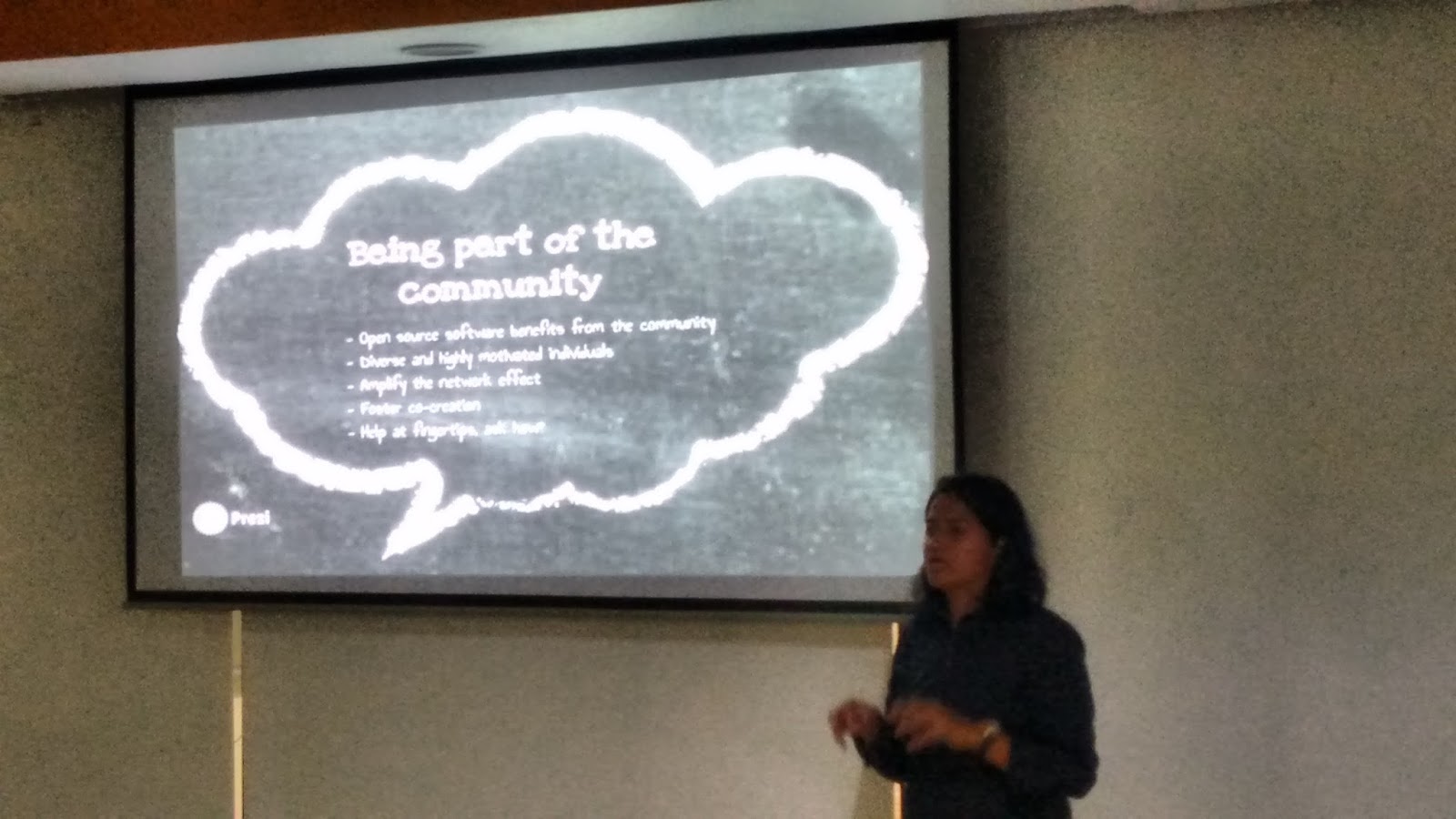
After a long one month, it was the day (7 Aug) for Pyladies meetup and again we were going to meet at Redhat Pune office. As it was the day I was waiting for after the first meetup, though it was sunday when we usually plan to relax or hang out but I was excited for the meetup. So in morning I went for running in Magarpatta city(Aditi Garden) as it has a nice track for running. Then after having South-Indian breakfast at UpSouth, I came back to my home as it was time to get ready for the meetup as I was running out of time but still I managed to reach on time. When I entered the room there were many people already sat, some familiar to me as have met them in first meetup, few were new to the meetup. After saying hello to the people I also took my seat, then we shifted to the cafeteria due to some maintenance work in that room.


After we all were set, Nisha started with her talk on " Basic Communication skill", as communication is very necessary in open source world or in any community. So it was a great topic chosen by her, as it was a help to all of us in knowing the better way to communicate with the people in various communities so that we are listened and answered by others. As the way in which you communicate is very much important, she discussed about various things, as how to ask questions in a smart way. Do and don't while communicating and many more things.


After this there was a video of Keynote( Talk to talk' session) by Jacob Kaplan-Moss from Pycon 2015. Jacob Kaplan-Moss known for his work on Django and the director of security at Heroku. He begin with this intro, talked about his background and what people think about him.He  stated that "People believe that I am successful because of my programming skill. But that simply isn't true: "I am, at best, an average programmer", he said (with a slide that read "Hi, I'm Jacob, and I'm a mediocre programmer."). Then he introduced ultra-marathon runner Ann Trason, who is the most accomplished competitor in the history of that sport. He talked about Trason runs and records, he included that in his talk because he also recently finished his first 50km race, so we can say he was a runner too and I too am a runner who have just started running a month back : ). So I liked this part . Then he talked about programming abilities and how people measure that. He talked about a U shaped curve on which people distribute the programming skill and most of them are on one end or the other but  for going from absolutely terrible to wonderful we have to traverse the middle ground. After this he talked about myth about the U curve that sets up a world where you can only program if you are a rock star or a ninja. This myth is preventing "most of the growth and the improvement we'd like to see". And this motivated all of us sitting there and then he said" The truth is that programming isn't a passion or a talent, it is just a bunch of skills that can be learned". Also he added 10x programmers to his talks adding the famous picture of Linus Torvalds flipping off NVIDIA under the "brilliant asshole" label in his slide. He then asked what a 10x programmer look like and put up a series of pictures of "Mark Zuckerberg". When we see someone who does not look like one of those three men, we assume they are not a real programmer, he said. Almost all of the women he knows in the industry have a story about someone assuming they aren't a programmer. He talked to multiple women attending PyCon 2015 who were asked which guy they are there with—the only reason they would come is because their partner, the man, is the programmer. "If you're a dude, has anyone ever asked you that?" And this was a great motivation for the ladies present in pyladies meetup. He also talked about Lynn Root a founder of the San Francisco chapter of PyLadies, a Python Software Foundation board member. In the of the keynode he took several questions. It was great keynode selected for this meetup. 


After this it was the time for lunch, and during lunch time we had quite interesting conversation with each other, we all  talked about Pycon 2016( Delhi) which I am also attending and Pyladies and many more things. 

After lunch it was the time to learn some python skills. So there was a session  'Hands on Python' by Chandan Kumar. He started from where we left in the last meetup. He covered several topics like functions, different python module and file handling. So we practiced all these , ending up with an assignment given by Chandan. There was a one more session on Object Oriented Programming but as it was already 5 in evening, that why we decided to have that session in the next meetup.So we end up with a short conversation that in future what else we can do for pyladies meetup so that we have more pyladies member and we all left with a plan to meet next month again : ).

Saturday, 16 July 2016

Fedora Women's Day


Gone are those days, when women have only some selected fields to work on or they restrict themselves to some fields. In this new era our boundaries are widening, we are extending our thoughts and are coming out in the world of technology.  None of the field I guess is untouched by women, it’s difficult to name a field where we can’t see a woman. So no one is unaware about women’s caliber and so are some communities which are helping women to grow in the field of technology and computing  like Fedora women, Grace Hopper etc.

Yesterday I attended the Fedora Women’s day Celebration which I came to know was there in our office and a large number of women joined that, and that shows how we all are interested in something like this. Fedora is an open source project where anyone can contribute, it has open community. We can join Fedora and start contributing it, it’s nothing like that anyone have to be a hard core programmer with all the IT skills, anyone can contribute to it whoever have interest. Amita was the organizer of the event, the event started at 3PM, we all were there for it. The started with the talk of MarĂ­a “tatica” Leandro, who mainly take care of develop art, translations, marketing stuff, promoting the use of Fedora and recruit new talent to the community. And it was 5.30 in morning for her due to different timezone, still was there for us to help us and answer our question. This shows her dedication and how active she is towards the community . She shared his experience how she started her journey as a translator and talked about diversity as she is the Diversity adviser for Fedora. Being a woman she wanted a large number of women contributor for Fedora, so she was there so early and was ready to available even more early like 1 or 2 am for us for another meetups. She gave a lot of information how women can contribute to Fedora as being a women she knows we have so much other responsibilities other than our own interest and growth, and we have to balance everything in our life. She shared a lot of information about Fedora and Women in Fedora, although we have a less percentage of Women contributor in Fedora but that’s increasing and the community itself is helping women to come out with their interest and contribute in that field. Fedora has also a project named Fedora Women designed to connect and assist women who are interested in using and contributing to Fedora.  After talk with Tatica, there was a session from Pravin Satpute, he too is an active contributor to Fedora. He gave an introduction to Fedora and how anyone can start contributing Fedora. He shares the slides for different fields in which anyone can contribute depending on their interest like:
  • Content Writer
  • Designer
  • People Person
  • OS Developer
  • Translator
  • Web Developer or Administrator
  • QA

He gave lot of information on how we can start contributing to Fedora and also can learn from them as there are meetups and other session from which we can learn things of our own interest. He answered the questions which were raised to him and it was interesting as the whole event was motivating us to do something which will be beneficial for our growth and for the community also. After this there was a talk from Anisha Narang about Fedora, women contribution and we can be active in these types of events. She shared her experience which was a help for women present there. There was another guy who had wake up early in the morning just to address us and help us with our queries Matthew Miller, he was also surprised to see a large audience. He started with his  introduction  and shared  information about Fedora.  And also we came to know he has two cute and loving daughters also whom he take care so it was a inspirations for mothers present there who want to contribute to Fedora, he also answered the questions from audience. After he ended its was 5.30 pm I guess, and we planned to end for today with a discussion for next meetups. We also had a big cake which was looking very tasty as it was Fedora Women’s Day Celebration which would be incomplete without this. So without wasting  time we cut the cake and had it. There were few other people who helped this event to be a success. First is Satya who clicked pictures for us and our cake and another Huzaifa who answered a lot of questions and shared a lot of information. So we ended this with a plan to meet every Friday so that we can be active in this and meetups every two months or every month.

Wednesday, 13 July 2016

My First Pyladies Meetup

This Sunday, I attended the Pune chapter of Pyladies, About them in their own words “Pune chapter of PyLadies, an international mentorship group focussed on helping more women become active participants and leaders in the Python open-source community.  We aim to provide a friendly support network for women and a bridge to the larger Python world. Anyone with an interest in Python is encouraged to participate!”   
This was my first Pyladies meetup so I was exicited about it. Though it was raining still I managed to reach on time. This time it was in RedHat, after reaching there Kushal told me we are starting a little late due to the weather outside, then soon we get started. All of us were gathered in a room and we all were very curious about that, as most of us were there for that meetup the first time.  Meetup started with the intoduction to Pyladies by Anwesha, organiser of Pyladies Meetup, followed by Kushal talk on Python Community. He talked about many people showing their pictures who are contributing to python community and pyladies. He shared the pictures of Pycon-2015 introducing people from different companies and supporting several communities like Pyladies, Django etc. This continued for an hour, after that there was a keynode from  previous Pycon Meetup to be played “Two beards”. That was one was the most interesting part of the Meetup liked by everyone. In that keynode the man shared his experience like a story with the music, he himself played the music which was simply whaaaoooo. He shared his first bike experience and the different turns. He related it with dimensions and much more things, which was amazing. After this it was the time for lunch which Kushal had already arranged for all of us, then we enjoyed with pizzas. After an hour we started again with Python as we all were there to learn or discuss about the aspects of Python. Then Kushal started with Python, after a brief introduction on features of Python, he make us get started with the basics concept of Python. He started with the very basic so that it would be easy for newbees to Python. For me it was a revision as I have the basic knowledge of Python and can write programmes in Python. But to bring us all on a same level it was the need to start from the basics. He was giving time in between to us to try the same thing which he was teaching us, so that we are comfortable with that and if have any doubt can clear at that time only. After the basics were covered, he gave a programme to write a function to all so that we can implement what we have learned in that meetup. And the meetup ended with the problem solved by everyone. Then in the end it was a feedback session in which we discussed several things like how was the today’s meetup, what can be done to improve it , plans for the next meetup and many more things.
In the end, all of us left with something new in our mind and with more enthusiasm for the next meetup.

Tuesday, 17 May 2016

Unit Testing -Debugging the code

Testing is very much important to ensure the quality of product in any field. In Software development it is essential to point out the defects and errors in any program. Its a good practice to test your code . So I started with Unit Testing after I have learned Python programming language. In unit testing we use a module called unittest using which we can test our code. It is a testing framework . It comes pre-installed with python from 2.1.

The standard workflow is:
 1. Firstly we define our own class derived from unittest.TestCase.
 2. Then we fill it with functions that start with ‘test_’.
 3. After that we run the tests by placing unittest.main() in your file,        usually at the bottom.


 Before writing unit testcase, we should have few things in our mind that our
 testcase should be able to:
  • Run completely by itself, without any human input. Unit testing is about automation.
  • Determine by itself whether the function it is testing has passed or failed, without a human interpreting the results.
  • Run in isolation, separate from any other test cases (even if they test the same functions).

In unit test we also have setUp() and tearDown() function which are optional.  The setUp() function is used to set up the test environment and tearDown()  is used to clean up after a test. Setup method will run prior to each test case and teardown method will run after each test case.
We use assert functions to check whether the result is correct or not. There are a lot of assert functions in unittest.
Some of them are listed below:
assertEqual()
assertTrue()
assertFalse()
assertNotEqual()
assertIs()

To run a unittest, at the bottom of the test file,we have to give this code:

 if __name__ = "__main__":
     unittest.main()

This allows us to run all of the test code just by running the file.
Running it with no options is the most terse, and running with a ‘-v’ is more
verbose, showing which tests ran.   

Monday, 25 April 2016

My First Fedora Meetup

Yesterday I attended a Fedora meetup where we discussed about how to write Test Cases in Python. This was my first meetup after I have started learning Python. When I reached the place there were around 12 people sitting with their laptops, then I also joined them. Few people were knowing each other, few were new like me. So, Kushal who was organising the meetup decided to have an quick intro so that we may know about each other. After intro I came to know some were college students, some were working and all of them were keen to contribute something and were passionate for leaning new things for which we were gathered there. Then he gave an introduction on Unittest module which was our topic of discussion for that day. After this Kushal told what we are actually going to do today and its benefits and how we can relate and impliment that in our work. Then he gave an example of unit test in which "cat" command was tested and we all tried it in our own laptops and it was a success to run that unit test. In between we have some snacks like cold drink and samosa . All of us enjoyed this refreshment. Then Kushal decided to give different Test cases to everyone rather than all working on the same problem so that it will be more beneficial as we all will learn more by this, as a new challange will be there for everyone. Although it was not easy to think a new problem for each of us but still Kushal ended up by assigning a problem  to everyone who were present there. Chandan and Praveen were helping him in this, all three of them were there to help us with our queries.

After we got the problem, we started writing unittest for the assigned query. I was assigned a problem in which I have to test can we create a loopback device and perform file system operation without losing the file. In between doubts and questions were coming from the participants which were answered by either of the three. The environment was like that we are working on a crucial project as everyone was writing their test cases and running them to get the desired output. I was also so indulged in my Unit test case  that I don't how the three hours went, I came to know its 9 when Kushal told lets finish it here, we will continue in next meetup. Then he told us to some basics things and asked us to give feedback about the meetup. Then all of us winded up and it was decided we will do the remaining part at our own place and the will push the code on github, if there will be some issue we can contact Kushal by droping a mail or on IRC.

(pics by @anweshasrk)


Friday, 22 April 2016

Database with MySQL

MySQL is an open-source relational database management system(RDBMS). Before proceeding further one should have the knowledge of what exactly database is?

Database is a application that stores collection of data. Relational database management system is used to store and manage huge volume of data, all data is stored into different tables and relations are established using primary keys or other keys known as foreign keys. Primary key is unique, and can not occur twice in one table and foreign key is the linking pin between two tables.
To use MySQL database, it is essential to become comfortable with mysql command  line.  So here are the basic commands which I went through to start with mysql database.
  • SHOW DATABASE - Used to view all available database.
  • USE <database name> - To work with specified database.
  • CREATE DATABASE <name> -  To create a new database.
  • DROP DATABASE <name> - To delete a database.
  • CREATE TABLE <name> - To create table.
  • SELECT command is used to view rows or column from a table.
  • WHERE command used to view only records that matches a specific condition, it can be with "greater than>", "less than<","not equal to!=" oe "equal to=". It can be used with OR, AND, NOT to combine multiple condition.
  • CONCAT function is used to combine values from multiple columns and display it. 
  • COUNT is used to display the total number of records in a table.
  • GROUP BY command is used to group records on certain conditions. There many more commands which we can understand more clearly only by using them.
So to see how these commands work I connected to MySQL server using MySQL client using mysql command, as it was already installed in system. After logging in successfully I created a new database for me named test, which I decided will contain different tables having student details, test detail, classes details,score details etc. Once my database was created I created various table inside it defining its parameters. Then I inserted the values to different tables according to the parameter defined by using INSERT command.
After doing this much of work I started playing with the tables by altering their name, by adding something new to them, by adding new column to them , by merging two columns and lots more things. It was a fun to extract different information by using various commands from different tables, and this is how I learned basics of MySQL.

Monday, 18 April 2016

A Day with IRC

IRC is mainly designed for group communication in discussion forums,called channels, it also allows one to one communication via private messages as well as chat. IRC is based on a client-server model. All you have to do is to run a client program on your computer which connects you to a server on the Internet. These servers link to many other servers to make up an IRC network,which transport messages from one user to another. For this only you need an Internet Service Provider to get you connected to the Internet and an IRC Client program.

After setting up with the provider and a client, you can choose a nickname of your choice and then connect different IRC networks. After going through the basic of IRC, I started with IRC and went through few commands and choosed a nickname (pyadav) for me. Then I joined few channels of my interest like dgplug, fedora-cloud, fedora-python etc.

You can find the channel of your interest with the /LIST command. After  finding the channel you can join it by using JOIN command as:   /JOIN #channelname - This changes your current channel to the specified channel and if the channel does not exist already, it will be created and you will be incharge of new channel.  To leave a channel you can use /LEAVE command. Private conversation can be done by /MSG command as  /MSG nickname <message>

Reference: